Drag & Drop your PNG files here
or
Supports PNG only • Max 30MB per file
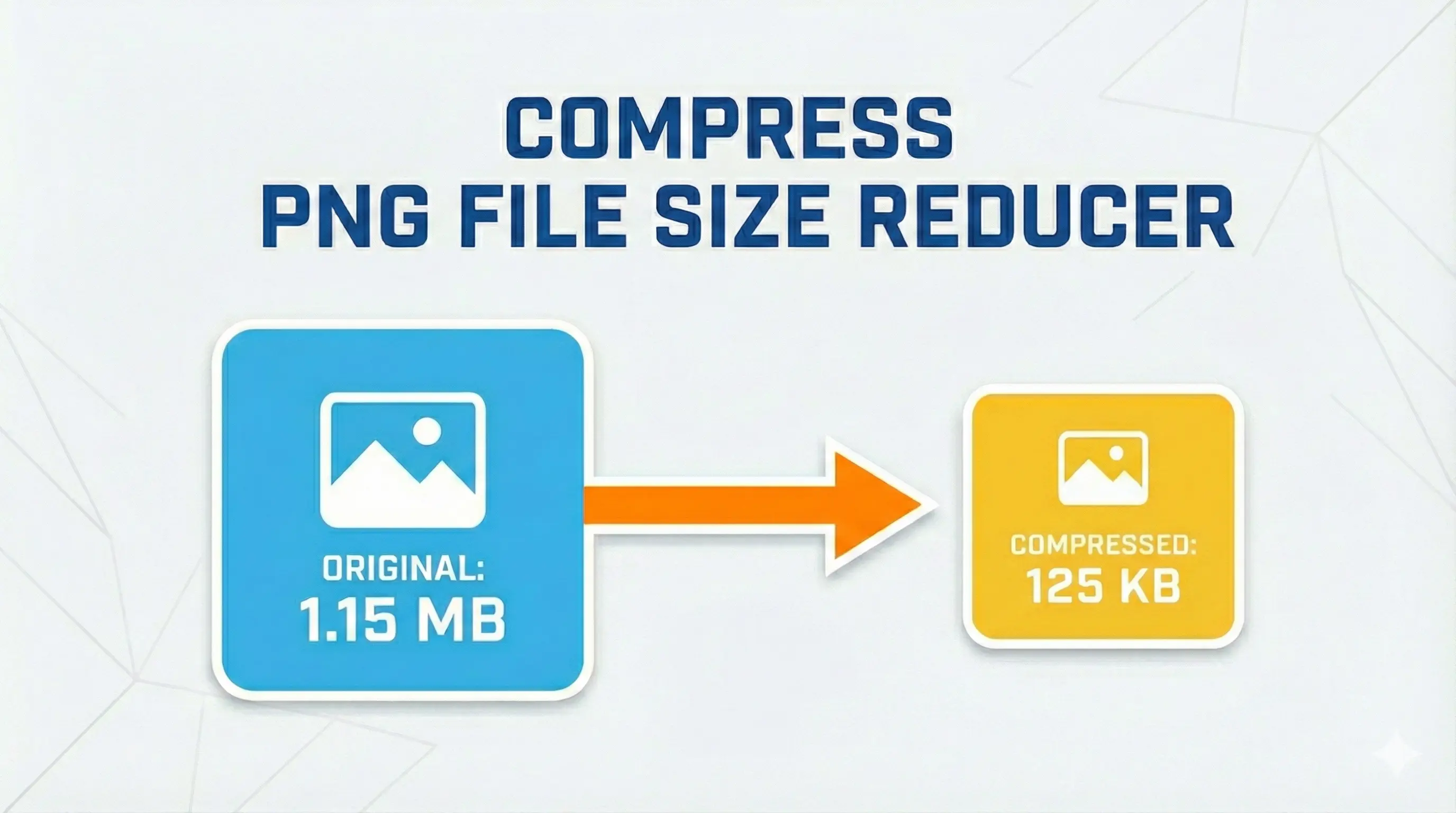
Reduce Png file sizes while preserving quality. Our privacy-focused tool works right in your browser—no uploads, no watermarks.
or
Supports PNG only • Max 30MB per file
PNG compression refers to the process of reducing the file size of a PNG (Portable Network Graphics) image without significantly degrading its visual quality.
PNG is a lossless image format, meaning it retains all original image data, but there are still ways to optimize and compress PNG files to make them smaller.
Everything you need to optimize your images quickly and securely

Your images are processed in your browser and never uploaded to our servers. Your privacy is 100% guaranteed.

Our tool processes images directly in your browser for lightning-fast compression without waiting in queues.
Upload and compress multiple png images at once. Save time by processing your entire image collection in one go.

All file transfers are encrypted for maximum security, ensuring your images remain private and protected.

Optimized for all devices. Compress images on your phone, tablet, or desktop with the same great experience.

No hidden costs, no watermarks, no registration required. Our JPG compressor is completely free to use for everyone.
PNG (Portable Network Graphics) is the undisputed king when it comes to images requiring transparency, sharp text, or lossless compression. However, this quality comes at a cost—PNG files are often significantly larger than their JPEG counterparts. This comprehensive guide explores everything you need to know about reducing PNG file size while maintaining visual fidelity and transparency.
PNG was created as an improved, patent-free replacement for GIF. Unlike JPEG which uses lossy compression, PNG uses DEFLATE compression algorithm—the same one used in ZIP files. This makes PNG compression fundamentally different: it never discards image data. Instead, it finds more efficient ways to represent the same information.
The PNG format supports several color depths: grayscale (1-16 bits), RGB (8 or 16 bits per channel), and indexed color (1-8 bits). Each additional bit of color information increases file size exponentially. This is why our PNG file size reducer tool includes options to optimize the color palette—it's often the single most effective optimization technique.
Lossless compression is the traditional approach for PNG files. It works by:
Our tool implements advanced filtering strategies and optimized DEFLATE compression to achieve maximum lossless reduction without altering a single pixel.
Lossy PNG compression is a more aggressive approach that quantizes colors—reducing the total number of unique colors in the image. This is particularly effective for:
Important: Lossy PNG compression may create banding in smooth gradients. Use our quality slider to find the perfect balance between file size and visual quality.
This is where PNG truly shines. The format supports full alpha transparency with 254 levels of opacity between fully transparent and fully opaque. However, this alpha channel adds significant file size overhead—often 20-30% more than an opaque PNG.
Our PNG file size reducer intelligently handles transparency in several ways:
Lossless mode maintains full alpha channel integrity. Your transparent backgrounds stay perfectly transparent.
High compression in lossy mode may simplify complex alpha edges. Check results before downloading.
The most powerful PNG optimization technique is reducing the color palette. PNG supports two main color formats:
| Format | Colors | Use Case | Size Factor |
|---|---|---|---|
| PNG-24 | 16.7 million | Photos, gradients, complex images | 100% (baseline) |
| PNG-8 (256 colors) | 256 | Logos, icons, screenshots | ~30-40% |
| PNG-8 (16 colors) | 16 | Simple graphics, charts | ~15-25% |
| PNG-8 (2 colors) | 2 | Black & white graphics | ~5-10% |
Our advanced quantization algorithm uses median cut and dithering techniques to maintain visual quality even with reduced palettes. When you enable "Optimize color palette," the tool analyzes your image and selects the optimal number of colors—typically 256 for most graphics, but sometimes fewer for maximum compression.
Image dimensions have a linear relationship with file size. Reducing width and height by 50% reduces the number of pixels by 75%, leading to approximately 75% smaller file size. This makes resizing the most effective single action for reducing PNG size.
Our PNG file size reducer includes intelligent resizing with:
PNG files often contain substantial metadata: creation timestamps, software information, gamma values, ICC color profiles, text annotations, and even embedded thumbnails. While useful for professional workflows, this metadata is rarely needed for web display.
Our metadata stripper removes:
This typically saves 5-15% additional file space with zero impact on image appearance.
Our tool supports batch processing of up to 10 PNG files simultaneously, each up to 30MB. This is invaluable for:
Product images with transparency need optimization for fast-loading catalogs
UI elements, icons, and logos are often distributed as PNG sets
Artists sharing work with transparent backgrounds
Charts and infographics saved as high-quality PNGs
While PNG files don't directly affect search rankings, their size significantly impacts page speed—a confirmed Google ranking factor. Optimizing your PNGs with our PNG file size reducer provides multiple SEO advantages:
Optimizing PNGs can improve page load times by 30-50%, directly impacting user experience and search rankings.
In an era of data breaches and privacy concerns, our PNG file size reducer stands apart from other online compression tools. We prioritize your privacy with a completely serverless architecture:
Your PNGs never leave your device. No server transfer means zero exposure.
We don't store your images. After compression, files exist only in your browser memory.
Works without internet after initial load. Perfect for sensitive documents.
This approach eliminates the risk of unauthorized access, data mining, or accidental leaks. Your confidential business graphics, personal photos, and design assets stay completely private.
Understanding when to use PNG (even after compression) versus other formats is crucial for optimal web performance:
| Format | Best For | Transparency | Compression | Typical Size |
|---|---|---|---|---|
| PNG (optimized) | Logos, UI, screenshots | Full alpha | Lossless/Lossy | Medium |
| JPEG | Photographs, realistic images | No | Lossy | Small |
| WebP | Modern web, all purposes | Yes | Lossless/Lossy | Very Small |
| GIF | Animations, simple graphics | Binary | Lossless | Large |
| AVIF | Next-gen web | Yes | Lossy | Smallest |
PNG remains the preferred choice when you need lossless compression with transparency. While WebP often achieves smaller file sizes, PNG's universal browser support and predictable quality make it a safe, reliable choice for production environments.
With our PNG file size reducer, you can implement this entire workflow in seconds, with complete privacy and professional results.
Reduce file sizes without sacrificing quality—drag, adjust, download.
Click the "Select Files" button or drag and drop your png images into the upload area. You can select multiple files at once for batch processing.
Use the quality slider to choose your preferred balance between file size and image quality. You can also choose to keep or remove metadata.
Click the "Compress Images" button and wait a few seconds. Once processing is complete, download your optimized images individually or all at once.
Discover what makes our tool the best choice for compress your Images.
Unlike many online tools that upload your images to their servers, our compressor works entirely in your browser. Your images never leave your device, ensuring complete privacy and security.
Our advanced compression algorithms work directly in your browser, eliminating upload and download wait times. Process dozens of images in seconds, not minutes.
With our intuitive quality slider, you have complete control over the compression level. Preview the results before downloading to ensure perfect balance between quality and file size.
Use the tool instantly—no sign-ups or personal data needed. Your privacy is respected. We're committed to providing the best user experience.
Find answers to common questions about our png reducer.